Do you ever feel like your day slips away while you stare at a daunting to-do list? We’ve all been there. Whether you are managing complex projects, studying for exams, or navigating the unique challenges of ADHD (Attention Deficit Hyperactivity Disorder), staying on task can feel impossible without the right structure.

Enter the Pomodoro Technique—a time management method tailored to turn procrastination into productivity. But knowing the technique isn't enough; you need a workspace that enforces it.

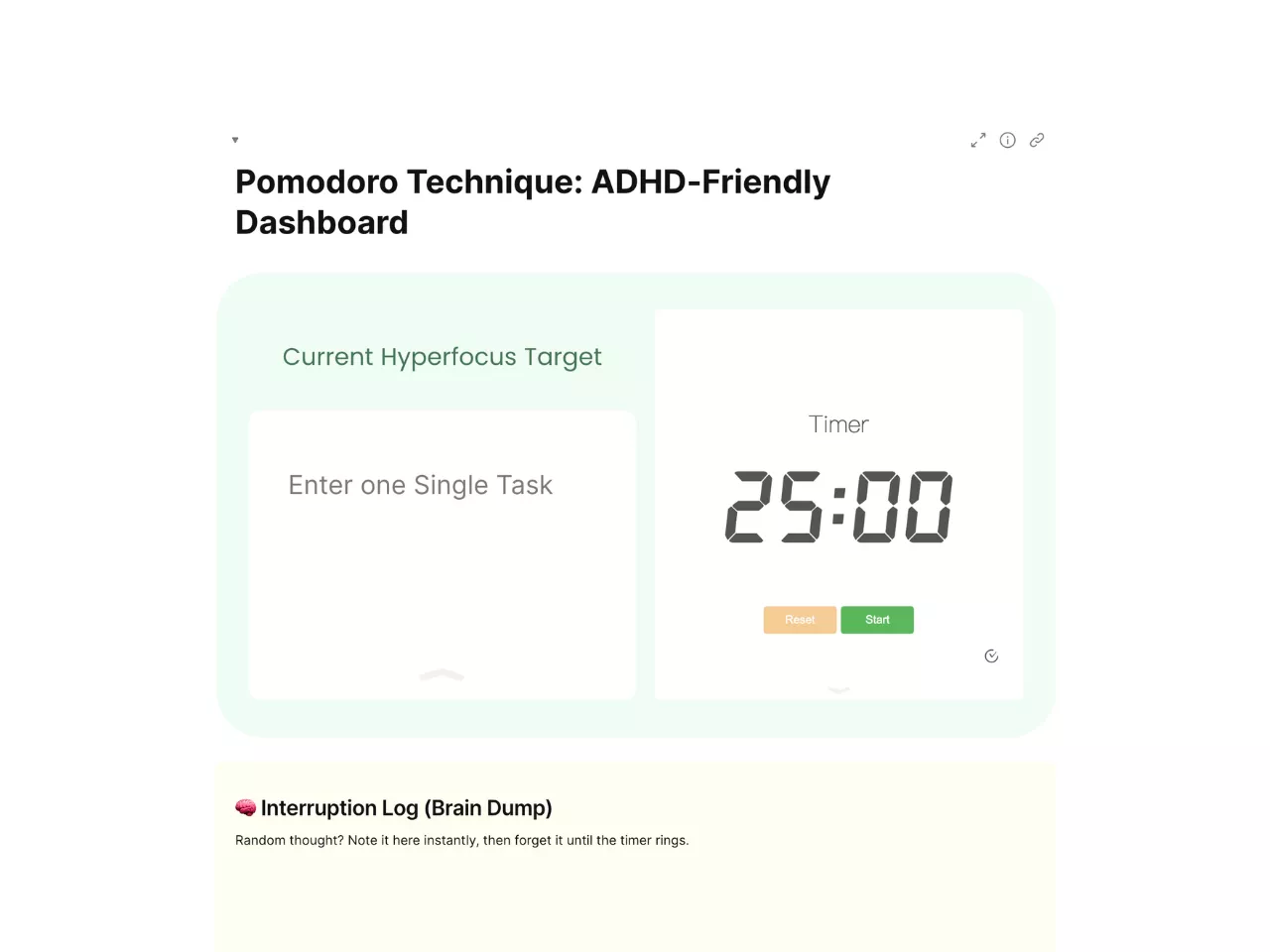
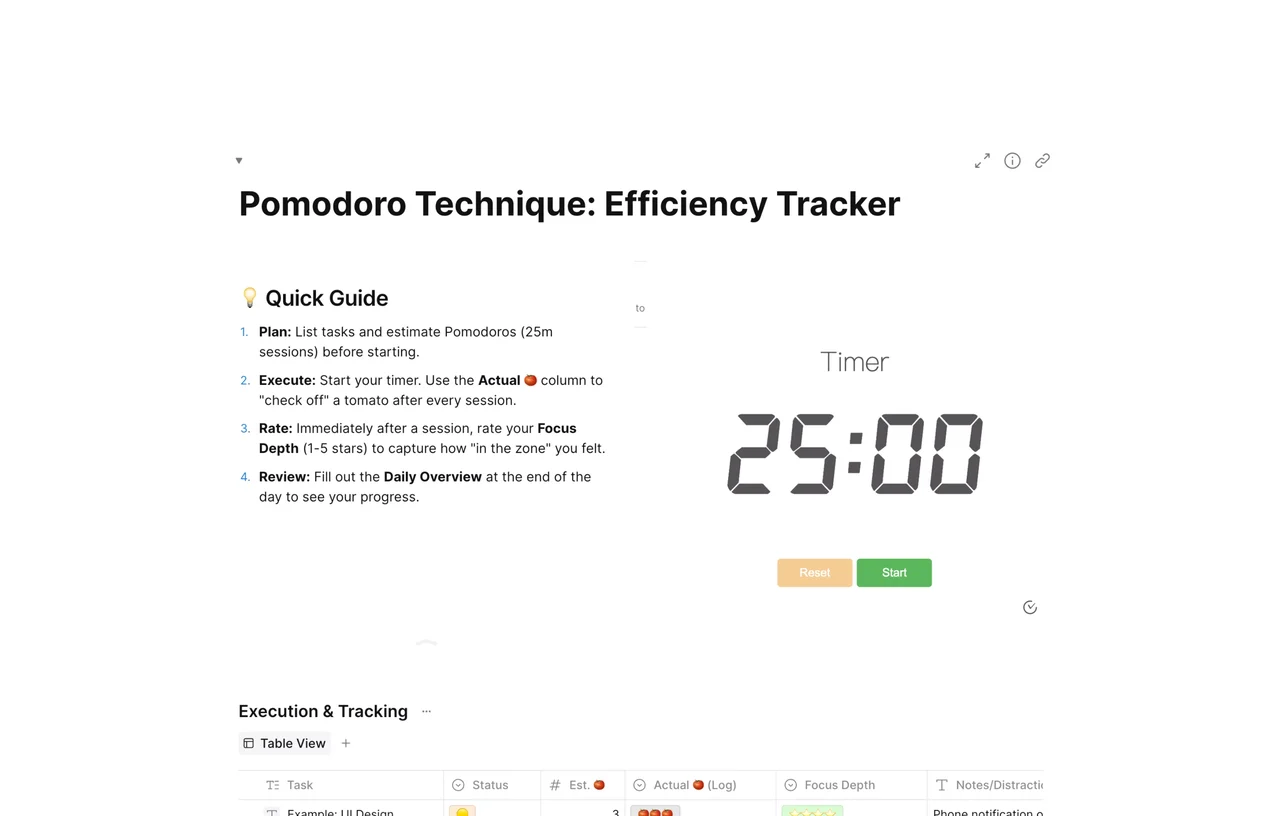
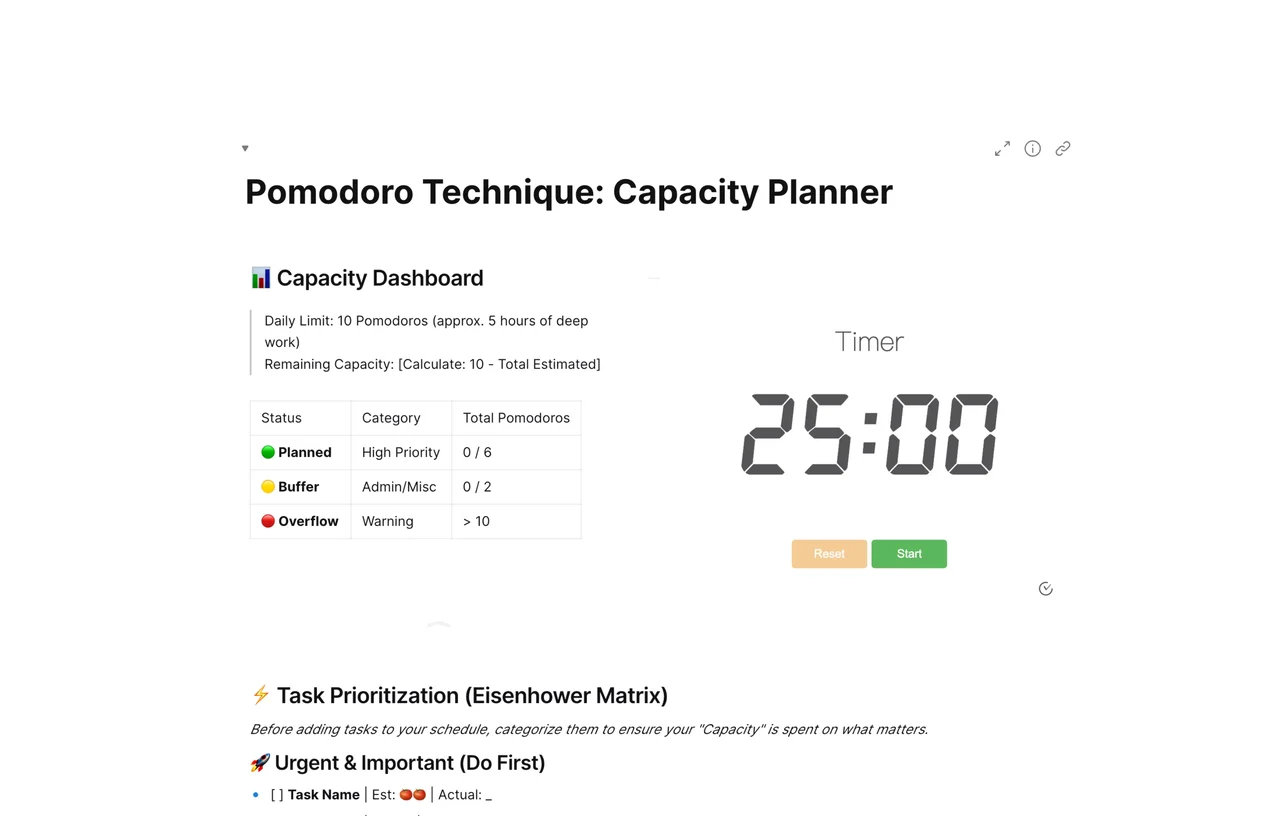
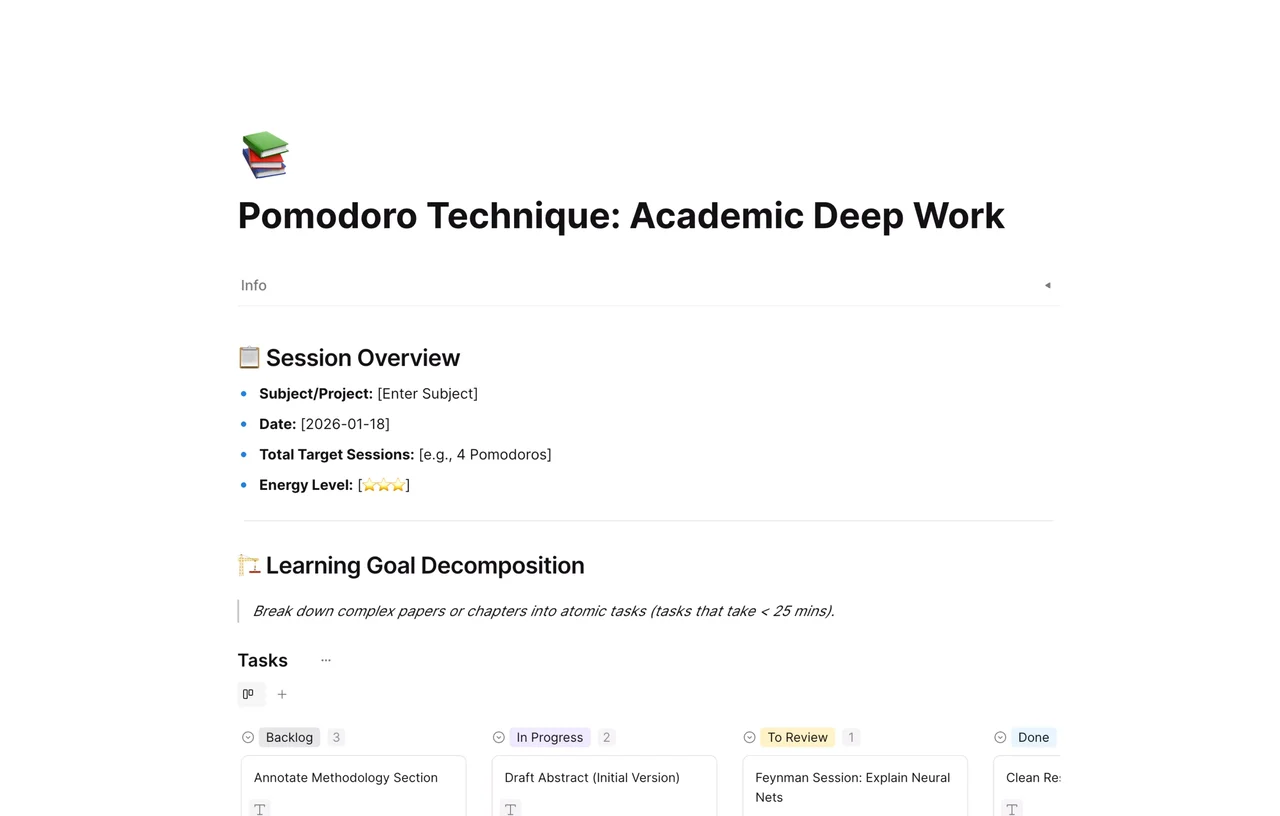
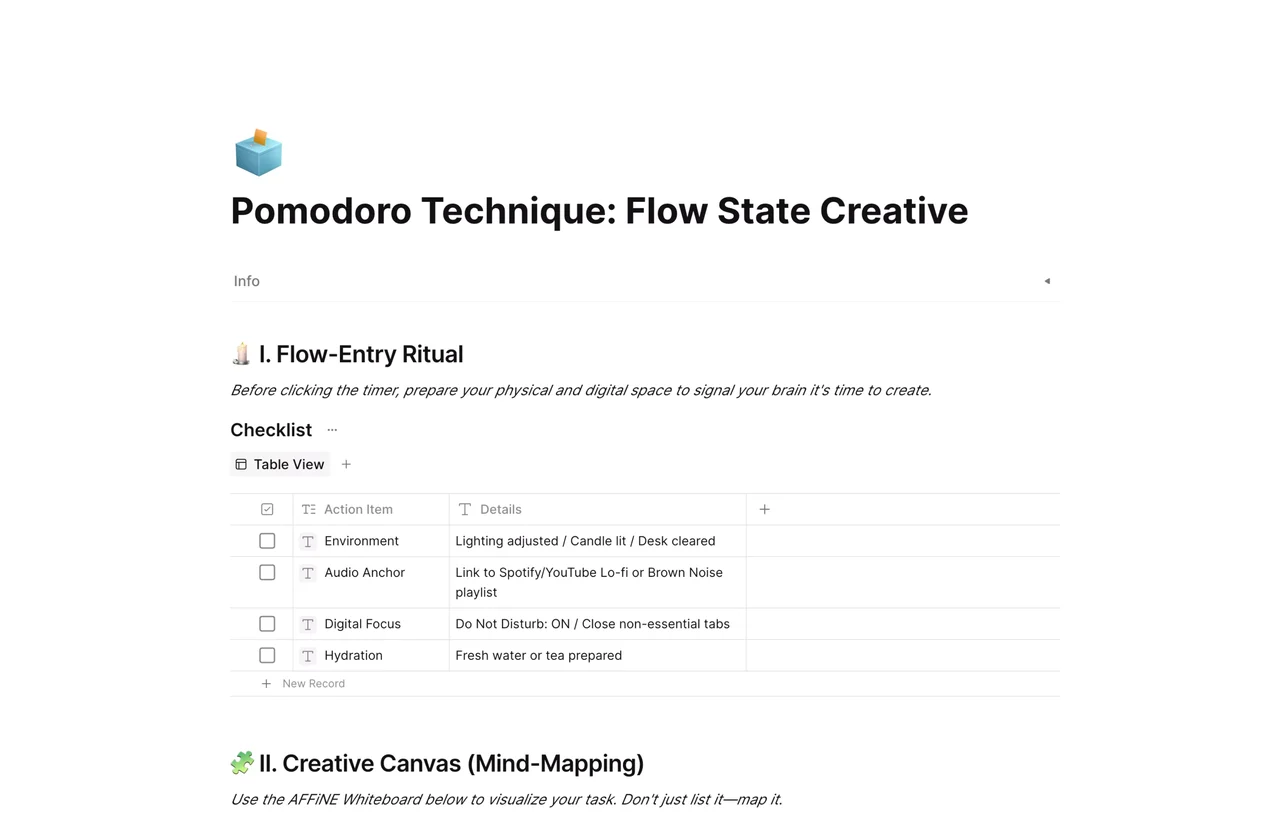
That’s why we’ve created a specialized free Pomodoro Template in AFFiNE. Complete with a built-in task list, a "distraction dump" zone for stray thoughts, and seamless timer integration, this template is designed to keep your mind clear and your workflow moving.

What is the Pomodoro Technique? (And Why It Works)

Before diving into the template, it helps to understand the method. Developed by Francesco Cirillo in the late 1980s, the Pomodoro Technique uses a timer to break down work into intervals, traditionally 25 minutes in length, separated by short breaks.

The Basic Cycle:

  1. Choose a task.

  2. Set a timer for 25 minutes (one "Pomodoro").

  3. Work until the timer rings.

  4. Take a short 5-minute break.

  5. Every 4 Pomodoros, take a longer break (15-30 minutes).

Why Do You Need a Specialized "ADHD Pomodoro" Template?

While the core concept is simple, executing it in a chaotic digital environment is hard. Standard timer apps lack context, and standard to-do lists lack urgency.

For individuals with ADHD, Time Blindness (the inability to sense the passing of time) and Executive Dysfunction (difficulty starting tasks) are major hurdles. A simple clock isn't enough.

Our template bridges that gap by providing:

  • Externalized Executive Function: It visualizes time and tasks together.

  • Dopamine Feedback Loops: Checking off a sprint provides immediate gratification.

  • Reduced Cognitive Load: You don't need to decide "what's next" every 25 minutes; the template decides for you.

Inside the AFFiNE Pomodoro Template: Key Features

This isn't just a static sheet; it's a dynamic workflow powered by AFFiNE's all-in-one workspace.

1. The Priority Task Block

Start by filling out the "Active Task" block. This prevents decision paralysis by forcing you to focus on one item at a time. Multi-tasking is the enemy of the Pomodoro method.

2. The "Distraction Dump" Zone (Parking Lot)

This is the game-changer for ADHD brains. When a random thought pops up—"I need to buy milk," or "Did I reply to that email?"—do not switch tabs.

Instead, quickly jot it down in the template's designated "Parking Lot" area and immediately return to work. You capture the thought without breaking your flow state.

3. Integrated Native Timers

Static templates in other note-taking apps require you to open a separate clock app or browser tab, which opens the door to distractions (like checking social media).

AFFiNE eliminates this friction. This template works hand-in-hand with AFFiNE's built-in timers. By utilizing our native functionality, you can:

  • Stay in One Window: Keep your docs, whiteboard, and countdown clock in a single, unified view.

  • Customize Your Intervals: While the classic Pomodoro is 25 minutes, our flexible timer features allow you to adjust intervals to match your personal focus span (e.g., 50/10 splits for deep work).

How to Use This Workflow: A Step-by-Step Guide

Ready to stop drifting and start doing? Here is your roadmap:

  1. Download the Template: Import the Pomodoro block into your AFFiNE workspace.

  2. Brainstorm (Edgeless Mode): Use the whiteboard feature to map out all your tasks visually.

  3. Select & Commit: Drag one major task into the "Current Sprint" box.

  4. Set the Timer: Click the clock icon, set it to 25 minutes, and hit start.

  5. Work: Focus only on that task. If interrupted by a thought, use the Distraction Dump.

  6. Break: When the alarm sounds, stand up. Stretch. Do not look at screens.

  7. Review: At the end of the day, review your "Distraction Dump" and move actionable items to your main to-do list.

Frequently Asked Questions (FAQ)

Q: Can I change the 25-minute interval?

A: Absolutely. Some people with ADHD prefer shorter bursts (15 minutes) or longer "Flow" states (50 minutes). AFFiNE's timers are fully customizable.

Q: Is this template free?

A: Yes, the template is completely free to use within the AFFiNE Personal Plan.

Q: How is this different from a physical timer?

A: A physical timer is great, but it doesn't track what you worked on. This digital template combines your project management (Kanban/Docs) with time tracking, keeping everything in one context.

Get Started Today

Don't let another day vanish into the void of distraction. Structure your time, manage your energy, and conquer your to-do list.

👉 Click here to get the Free Pomodoro Template for AFFiNE